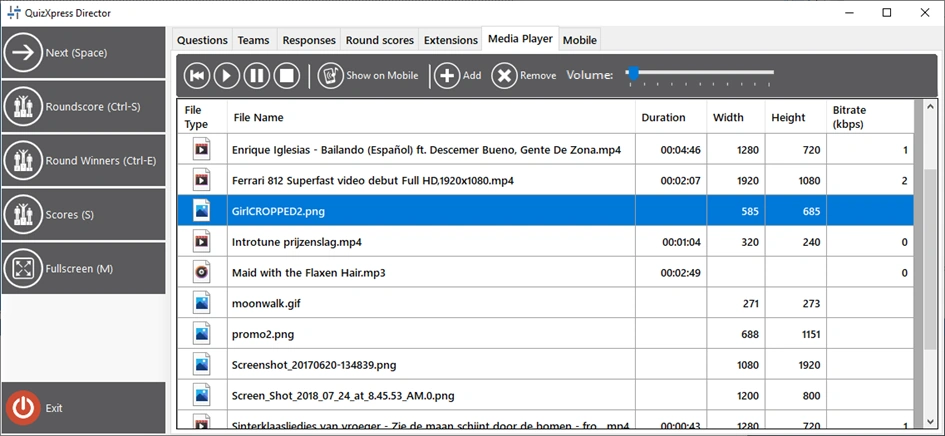
The Media Player tab
This tab in Director shows the QuizXpress media player. Using the media player, you can:
-
Launch a full-screen video on the main screen
-
Show a full-screen picture on the main screen
-
Start playing an MP3 file
-
Present a promo image on the Smart Buzzer app
-
Replay/resume the video on the current slide
-
Replay/resume the sound on the current slide
-
Adjust the volume of the quiz player
-
Maintain a list of media files
When you add files to the list, they are actually copied to the local QuizXpress application data folder (Explorer path %AppData%\QuizXpress\Media). This prevents issues when original files are moved, deleted, etc. So, if you delete a file from the list, it will be deleted from QuizXpress storage, but the original file will remain untouched.