Advanced slide properties
On this dialog, you can configure a few more advanced properties for the current question:
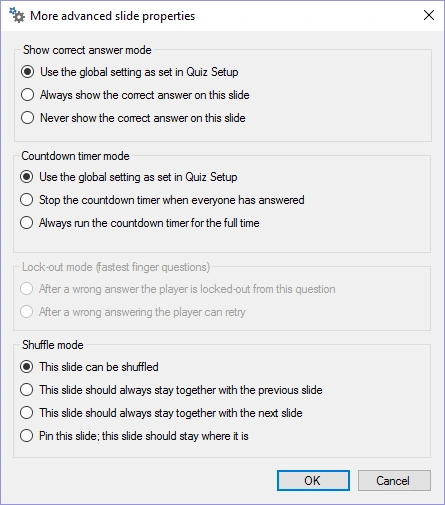
Show correct answer mode
Setting that indicates if the correct answer should be shown after the question is over. By default, the setting as defined in QuizXpress Setup is used.
Countdown timer mode
Setting to indicate how the countdown timer should behave for this question. By default, the setting as defined in QuizXpress Setup is used.
Lock-out mode for fastest finger question
Normally, a player who gives a wrong answer is excluded from the question. With this setting, you can change this behavior so that players can retry with a different answer. Only available if the slide is a fastest-finger slide.
Shuffle mode
QuizXpress allows shuffling of the questions in a quiz when it is played in QuizXpress Live! As you might want to keep some slides in place (for example, Billboards announcing rounds) or keep them coupled with a previous or next slide (for example, when information on a slide applies to the next or previous slide, or for wagers), this setting offers support for just that. It indicates what should happen to the slide when QuizXpress Live selects a shuffled subset from the questions in the quiz file (configured in Quiz Setup, where you can choose to randomize a percentage of questions). This setting is useful when you want to run the same quiz multiple times, for example at a trade show. Note: these options can also be accessed from the property grid (at the slide level).