Card game
In the card game the audience needs to survive several cards by correctly predicting the next card (red/black or higher/lower) to gain points.
Available configuration options:
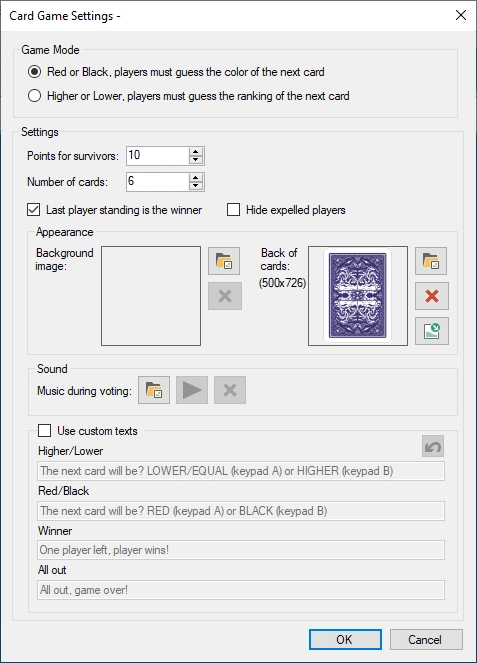
-
Game Mode: choose between red/black or higher/lower guessing
-
Points for survivors: how many points do the players win when they survived up to the end
-
Number of cards: how many cards are on the table
-
Last player standing is the winner: with this option, the player who survived last wins, even when not all cards have been turned
-
Hide expelled players: hide the players from the player grid that are no longer in the game.
-
Background image: choose a background image shown during the game
-
Music during voting: choose the music that is played while all players make their bets
-
Back of cards: the image to be used at the back of the card (use 357 x 500 pixels). Use this to brand the game for your own purpose.
-
Use custom texts: override the default texts presented to the players with your own texts.
Please find below a picture of the card game in action.
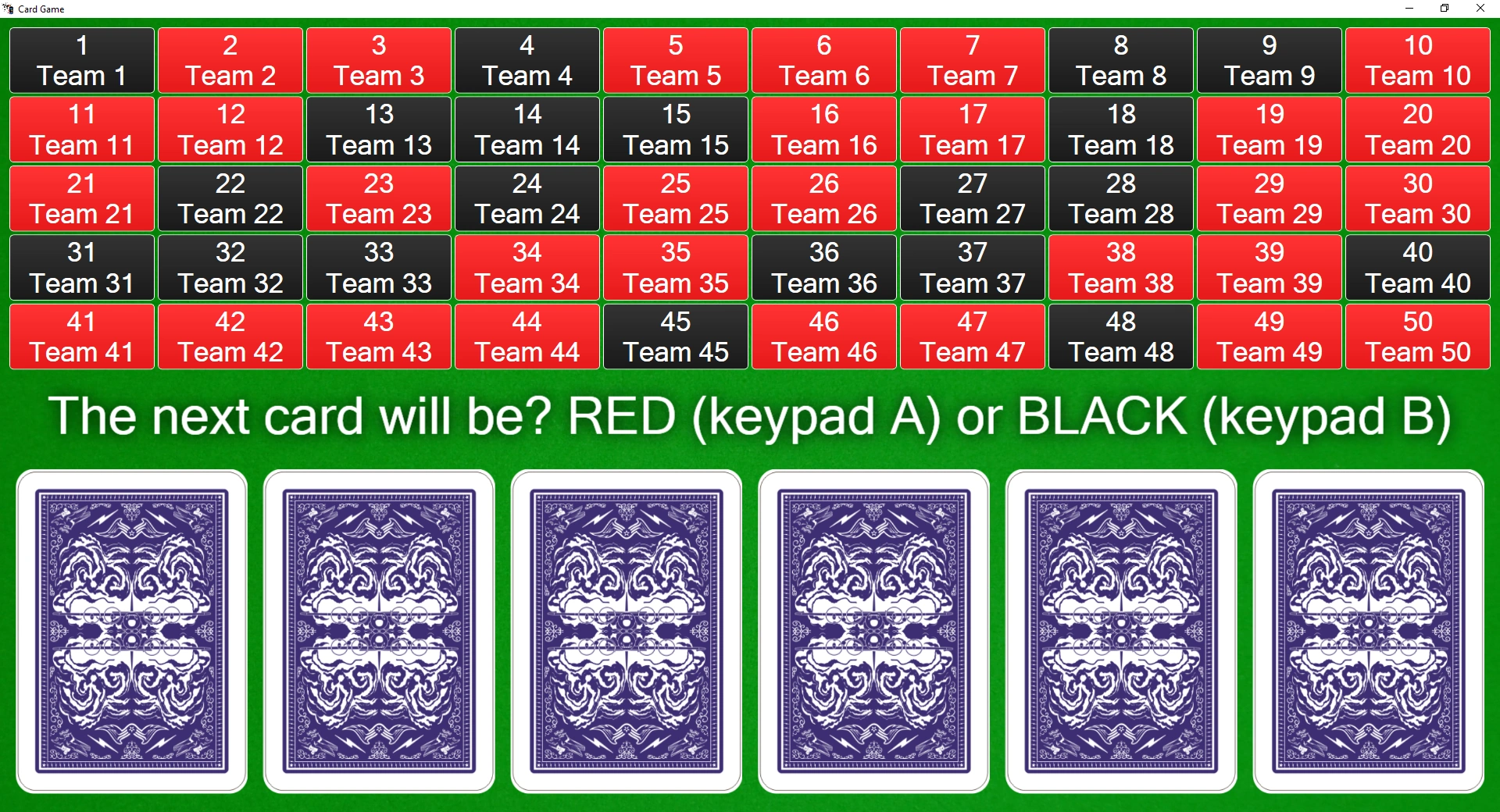
Each player is represented by a square. When a choice is made, the square turns either red or black.
In order to go through the various steps of the cards game (show message to the players to make a choice, reveal the next card) just press the ‘Next’ button in the left-hand side panel.

The squares of players who are out of the game are grayed out, indicating they no longer participate in this session of the card game.